Build the Skyscraper Co-op Roles & Player Tips
Fill a lane in the 50-player skyline—not a character gacha roster.
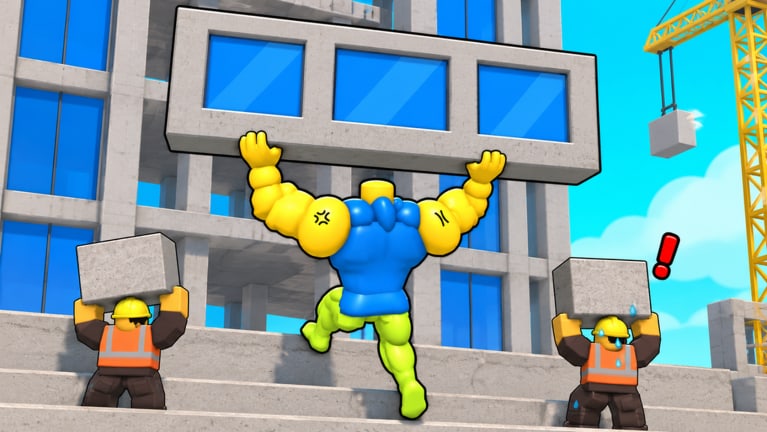
The Players Hub for Build the Skyscraper! reframes “players” as roles, habits, and lobby skills. There is no fixed hero roster to unlock here—The High Stars built a co-op incremental simulator where up to 50 people grab materials, raise floors, train carry and speed, finish skyscrapers, and climb again. Your power spike is how well your human team covers the loop, not which anime unit you rolled.
Use this hub to pick a lane, communicate cleanly, and avoid the public-server chaos that stalls towers. Pair it with Getting Started for early objectives, Controls for binds, Mobile Tips if you play on a phone or tablet, the Tier List Hub for priority calls, and the build checklist before long sessions.
Core roles that keep towers moving
Think in jobs, and swap when the floor needs it.
Hauler
Job: Move materials from nodes to the active build site as fast as carry allows.
Wins when: Scaffold never starves; routes stay short; you call out when inventory caps.
Trains first: Carry if capped early; speed if the path is long or Lava hazards force detours.
Fails when: Hoarding without a named floor target (see D-tier habits on the tier list).
Placer / Builder
Job: Turn delivered materials into actual floors from the ground up.
Wins when: Each haul converts into visible height; incomplete floors get finished before vanity projects.
Trains first: Enough speed to reposition between placement points; enough awareness to ping missing mats.
Fails when: Starting a new silhouette while the current skyscraper is one delivery from completion.
Trainer
Job: Break the gather-build loop on purpose to raise carry and move speed for the whole push.
Wins when: The squad agrees on a training block between floors instead of everyone “training later.”
Trains first: The bottleneck stat identified on the Tier List Hub.
Fails when: Training during the final haul of a nearly finished floor.
Caller / Shotcaller (flexible)
Job: State the active floor, material need, and role gaps in chat.
Wins when: Randoms stop triple-stacking the same node.
Anyone can do it—even a new player with a clear sentence beats silence.
Flex
Job: Fill whatever lane is empty. Ideal for experienced players in public servers.
Wins when: You watch the scaffold and swap haul ↔ place without ego.
Suggested squad templates
| Lobby size | Suggested split | Notes |
|---|---|---|
| Solo | Flex all roles in short cycles | Finish a floor, then train; do not soft-lock on one task |
| Duo | 1 Hauler + 1 Placer, swap Trainer duty | Fastest honest climb for friends |
| Trio | 2 Haulers + 1 Placer, rotate Trainer | Caller rotates each floor |
| Full public (up to 50) | Multiple haul packs + dedicated placers | Callers matter most; ignore griefers, do not chase arguments |
Controls & platform tips
Exact keybinds can differ by device, so treat this as a mindset checklist and confirm bindings in your first minutes via Controls and Getting Started:
- Desktop — Learn move, interact/pick up, and camera control before optimizing routes. Rebind only after you understand the default loop.
- Console — Prefer shorter material loops until you are comfortable with stick aim near scaffolds; call needs in text chat when voice is unavailable.
- Mobile / Tablet — Favor carry upgrades when tap precision makes long parkour routes painful; play Placer if hauling UI feels cramped. Deep dive touch aiming, battery heat, cross-play etiquette, and lava readability on small screens in Mobile Tips.
- All platforms — Keep UI scale readable; missing a Codes or Settings button later is annoying when promos finally appear (Codes Hub).
If a control feels wrong after the Lava update, check the Updates Hub before assuming your device is broken.
Soft skills that outrank raw stats
- Name the floor — “Finishing floor X, need Y” beats “help.”
- Arrive on time for training blocks — Shared training multiplies everyone.
- Do not grief placements — Blocking scaffolds is the fastest way to empty a lobby.
- Teach one loop — Showing a new Hauler a clean route is worth more than flexing height.
- Ignore script spam — Point friends to the Scripts Hub and Script Safety instead of pasting injectors.
- Reset after updates — Featured tags like
[🔥LAVA UPD]mean old routes may be unsafe.
Player progression milestones
Use these as personal KPIs rather than comparing Robux spend:
- Milestone 1: Complete a full beginner loop without asking what the objective is (Getting Started).
- Milestone 2: Finish a skyscraper band while holding a single role for most of the run.
- Milestone 3: Call a successful training break that visibly improves haul times.
- Milestone 4: Flex roles in a busy public server without derailing the active floor.
- Milestone 5: Adapt routes after reading a new Updates entry the same day it drops.
What this hub is not
- Not a tier list of secret OP characters
- Not a place to dox players or post private server passwords
- Not a script distribution board
- Not a substitute for official rules on Roblox or The High Stars group
Related hubs
- Controls — desktop, mobile, and console patterns
- Mobile Tips — touch, heat, cross-play, lava readability
- Guides Hub — mechanical depth behind each role, including Solo vs Co-op
- Tier List Hub — what your role should prioritize
- Tools Hub — checklists and session planner
- Updates Hub — when roles shift after patches
- Links Hub — official destinations
Pick a lane, say it in chat, and build the skyline together.
Frequently Asked Questions
Quick answers for builders climbing the skyline.
Does Build the Skyscraper have unlockable characters?
This wiki treats the game as a co-op builder without a traditional fighter roster. Focus on roles—Hauler, Placer, Trainer, Caller—rather than collecting units.
What is the best role for beginners?
Hauler on short routes, or Flex in a duo with a friend who places. Read Getting Started first so controls and objectives are clear.
How many players can be in a server?
Up to 50 players. Larger lobbies need clearer callers and dedicated placers to avoid everyone stacking one node.
Where can I learn controls?
Start with Controls for all platforms, then read Mobile Tips if you play on a phone or tablet. Getting Started covers early objectives.
Should our whole team use scripts to keep up?
No. Scripts risk bans and account theft. Use roles, training, and the Guides Hub instead; see Script Safety for details.